Answers··7 min read
How do you self-publish a coloring book?
Self-publish a coloring book on KDP: line art you can legally use, trim size and bleed, single-sided pages, paper, cover, AI disclosure and ISBN rules.
On this page
To self-publish a coloring book, make or license a set of line drawings, lay them out as a PDF at your chosen trim size, and upload it with a cover to a print-on-demand service such as Amazon KDP. KDP does not treat coloring books as low-content books, so you can use its free ISBN or your own. If you used AI to generate any images, you must disclose that when you publish.
Where does the line art come from?
The line art must be drawings you made, drawings you hold a license for, or work that is truly in the public domain. Amazon requires that content not violate copyright, trademark, brand, privacy or publicity rights, and the KDP content guidelines say you stay responsible for that compliance.
Public domain is a weak foundation on its own. KDP says it will not sell undifferentiated public domain versions of works that are already available free in its store, and it may ask for proof of status. If you use older art, add real value: your own redrawing, a theme and a new arrangement.
If you use AI to generate the images, that is AI-generated content under KDP’s definition (“content created by an AI-based tool”), and you must say so. Using AI only to edit or refine your own work counts as AI-assisted and needs no disclosure. See how to use AI disclosure on KDP for details.
Whichever route you take, keep a record of where each image came from: your sketch files, license receipts or generation dates. Avoid fan art, brand logos and anything that looks like someone else’s characters.
What page size and bleed should a coloring book use?
Pick a standard KDP trim size, with 8.5" × 11" a common choice for coloring books because it leaves room for detailed drawings. KDP lists standard sizes from 5" × 8" up to 8.25" × 11", and custom paperback sizes from 4" to 8.5" wide and 6" to 11.69" tall. Check the current list in our KDP trim sizes guide before you commit.
If your artwork stays inside the margins, you do not need bleed. If any art touches the page edge, you need it. KDP says to extend it 0.125" beyond the trim, so the PDF is 0.25" taller and 0.125" wider than the trim size. A 6" × 9" book becomes 6.125" × 9.25". Files with bleed must be uploaded as PDF.
Keep line art inside the minimum margins. Those depend on page count:
| Page count | Inside (gutter) | Outside, no bleed | Outside, with bleed |
|---|---|---|---|
| 24–150 | 0.375" | 0.25" | 0.375" |
| 151–300 | 0.5" | 0.25" | 0.375" |
| 301–500 | 0.625" | 0.25" | 0.375" |
Swipe the table sideways to see every column.
KDP’s minimum image resolution is 300 DPI, and it recommends staying at or under 600 DPI to avoid processing delays.
Why make every page single-sided?
Single-sided pages protect the drawing on the back of each sheet from marker and paint bleed-through. This is common practice among coloring book publishers rather than a KDP rule, so it is your choice.
In practice you put one drawing on each right-hand page and leave the facing left-hand page blank, or fill it with a simple pattern, a test-swatch page or a note to the reader. Plan your page count around this: a 40-drawing book is about 80 pages. KDP’s paperback page range starts at 24, so even a small book clears the minimum.
Blank pages still count as pages and still affect printing cost, so decide early how many drawings you want. Our workbook and activity book guide covers similar layout choices.
Which paper should you pick on KDP?
Choose by ink: black-and-white interiors can use cream, white or groundwood paper, and color interiors must use white. KDP’s print options list paperback black ink on cream, white or groundwood, and color ink on white only (standard or premium).
Most coloring books print in black ink, which is cheaper than color. Between the three papers, white gives the sharpest line contrast, cream is softer, and groundwood costs about 5% less per KDP but is the roughest surface for markers. Test with a proof copy before you decide.
One catch: once you publish, ink type cannot be switched between black, standard color and premium color. Black-ink paperbacks can still change between cream, white and groundwood. Use the printing cost calculator to compare options.
How should the cover and title work?
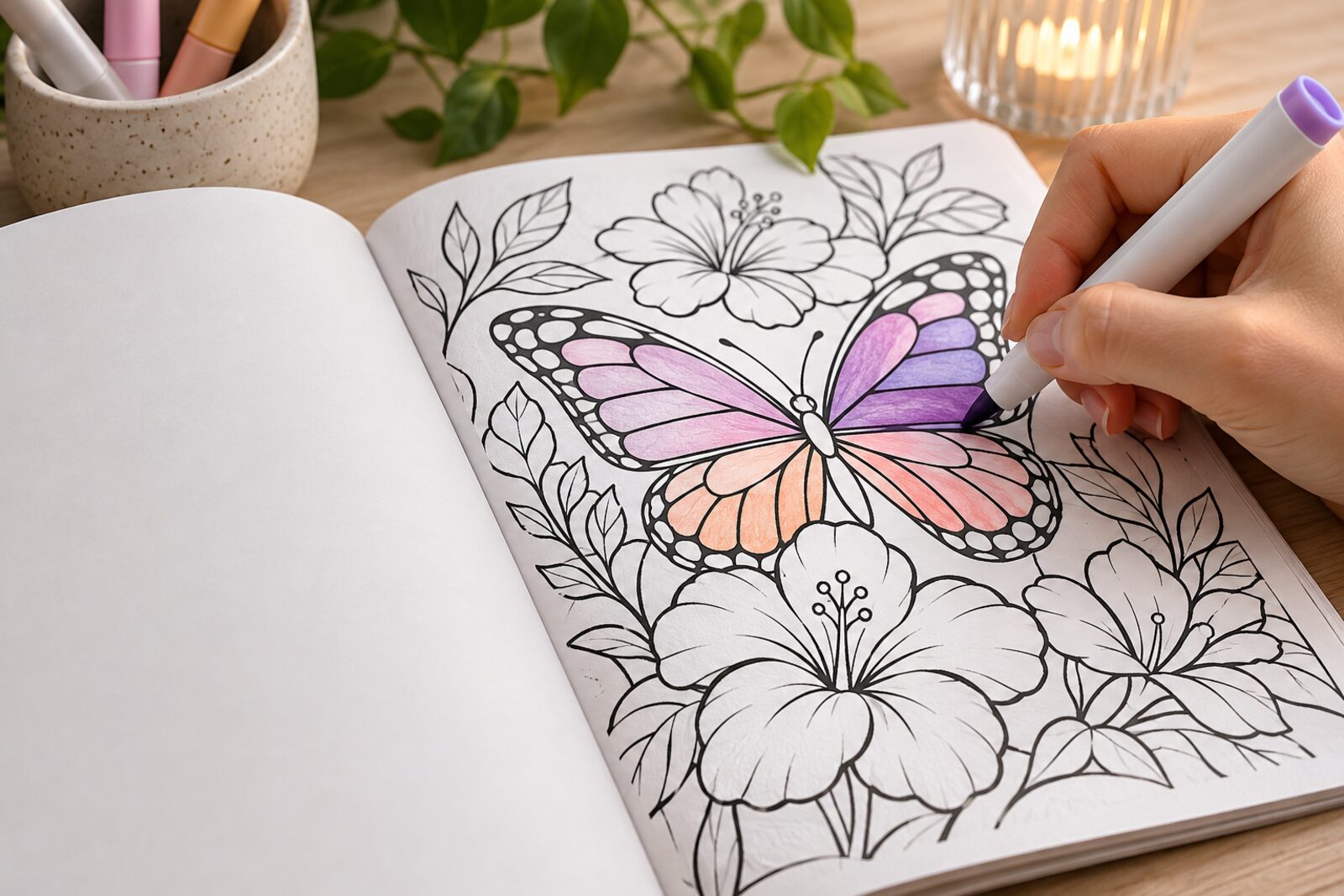
The cover should show finished, colored art from the book, because shoppers judge a coloring book by its cover alone. Print a few colored sample pages in your own hands, scan or photograph them, and build the cover around them. Keep the title plain and searchable: theme, audience and what the buyer gets (for example, the subject plus “coloring book for adults” or “for kids”). See how to choose a book title and how to design a book cover.
KDP covers need bleed too: a bleed of 0.125" on all sides. Covers print on 80 lb white paper with a glossy or matte finish, and matte is the usual pick for a book people will handle a lot. Use KDP’s cover calculator to get the exact spine and full-wrap dimensions for your page count and paper.
Is a coloring book low-content, and do you need an ISBN?
A coloring book is generally not low-content in KDP’s terms. The KDP help page says low-content does not typically include activity books such as puzzle or coloring books, because they lack repetitive content on every page. That matters because low-content books are not eligible for the free KDP ISBN, while coloring books can use it.
Your ISBN options for a paperback are the free ISBN from KDP or one you buy elsewhere. KDP notes that the free ISBN works only on KDP, and that a purchased ISBN’s imprint details must match the registration exactly. If you may sell through other printers or stores later, buy your own. See do you need an ISBN.
If your pages are mostly repeated patterns, KDP’s reviewers may see it differently, so make each drawing distinct.
What mistakes should you avoid?
The common mistakes are weak or unclear rights to the art, art outside the margins, and skipping a proof. Specifically:
- Using characters, brands or art you do not own the rights to.
- Putting the drawing in the gutter, where the binding hides it.
- Uploading images below 300 DPI, which print soft or jagged lines.
- Forgetting to disclose AI-generated images.
- Choosing color ink for a book that is really black line art, which raises your print cost.
Order a printed proof, color a few pages with the markers your buyers will use, and then publish. The general upload steps are in how to self-publish on Amazon KDP.
Where can CruxOne help?
CruxOne can handle the parts around the art: the AI cover maker builds front and full-wrap covers, book formatting produces a KDP-ready PDF, and you can publish to Amazon KDP from CruxOne. You can start on the free plan. Check any generated images against the AI disclosure rules above before you publish.
Frequently asked questions
Do I need an ISBN for a coloring book?
For paperbacks on KDP you can use the free KDP ISBN or your own. KDP says only eBooks and low-content books can skip an ISBN, and coloring books are not typically classed as low-content.
Can I sell public domain coloring pages?
Only with care. KDP won’t sell undifferentiated public domain content that is already free in its store, and it may ask for proof. Add original art or real changes.
What size should a coloring book be?
Any KDP trim size works. Many publishers use 8.5" × 11" for detailed drawings, but standard sizes run from 5" × 8" to 8.25" × 11" plus custom sizes.
Do I have to disclose AI-generated coloring pages?
Yes. KDP requires you to disclose AI-generated text, images or translations when you publish or update. Using AI only to refine your own work is AI-assisted and needs no disclosure.
Which paper is best for a coloring book?
White paper gives the clearest lines, and it is the only option for color ink. For black ink, KDP also offers cream and groundwood. Order a proof to test your markers.
Sources
- Amazon KDP: Paperback print options (paper, ink, trim, page counts) — checked 19 November 2026
- Amazon KDP: Set trim size, bleed and margins — checked 19 November 2026
- Amazon KDP: Low-content books — checked 19 November 2026
- Amazon KDP: ISBNs — checked 19 November 2026
- Amazon KDP: Content guidelines — checked 19 November 2026
KDP rules change. Confirm current specs in your KDP account before uploading. This is not legal advice on copyright or trademarks.